




S16 E57: Trezor Safe 7 Setup with Matej Zak & Tomáš Sušánka
The audio keeps playing while you browse the site.
Ask the Archive
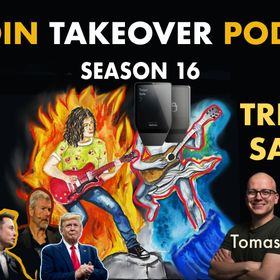
Recently, Trezor unveiled the Safe 7: the first hardware wallet in the world to include the Tropic Square verifiable secure element chip, a true game-changer for Bitcoin security. In this episode, Matej Zak & Tomáš Sušánka explain how it works.
Buy your Trezor Safe 7 (referral link): https://affil.trezor.io/SHuM
Time stamps:
00:01:13 - Introduction to the podcast episode and guests (Matej Zak, CEO, and Tomáš Sušánka, CTO of Trezor).
00:01:34 - Discussion of the Trezor Safe 7 product launch event in Prague and the host's excitement about the Tropic Square chip.
00:01:55 - Mention of the live unboxing and potential for things to go wrong.
00:02:17 - Addressing rumors about paying influencers; clarification that no payments were made, only travel costs covered.
00:03:11 - Start of unboxing the Trezor Safe 7, focusing on packaging security and tamper-proof elements.
00:04:31 - Overview of Trezor Safe 7 features: flagship product, auditable secure element, large color touchscreen, premium build quality, Bluetooth connectivity, and quantum protections.
00:07:20 - Explanation of "quantum ready" label: Post-quantum signatures for bootloader updates and device authenticity, not full quantum-proofing for Bitcoin.
00:09:00 - Deeper dive into quantum readiness, industry trends (e.g., Cloudflare, Apple), and why it's not a gimmick.
00:12:51 - Continuation of unboxing: Tamper-proof seals, holographic stickers, and physical security layers.
00:14:18 - Confirmation that devices ship without firmware; installation happens via Trezor Suite for added security.
00:15:26 - Setup process on iPhone: Downloading the app, Bluetooth pairing, and why iPhone compatibility was prioritized.
00:16:10 - Market insights: US as the biggest market, challenges with Apple (MFi program), and opting for Bluetooth over cables.
00:18:30 - Ads segment (Sideshift.ai, Layer 2 Labs, NoOnes.com, news.bitcoin.com).
00:20:13 - Resuming app setup: Privacy options, biometrics, Bluetooth permissions, and pairing code.
00:21:42 - Counting physical security layers (five in total) and their purpose.
00:23:07 - Authenticity checks in the app: Confirming purchase source, seals, and packaging integrity.
00:24:09 - Firmware installation process and confirmation that devices ship with only bootloader.
00:25:05 - Discussion of dual secure elements (Tropic Square T01 and Infineon Optiga Trust M) for enhanced security.
00:26:01 - Bluetooth security: End-to-end encryption using Noise protocol.
00:27:04 - Haptic feedback and one-time code for pairing confirmation.
00:28:00 - Device authenticity verification via secure elements.
00:29:39 - More on quantum readiness: Post-quantum certificates for future implementation.
00:30:23 - Tutorial walkthrough: Power button, menu options, and Tropic Square chip explanation.
00:30:59 - Background on Tropic Square: Origin story, name meaning (Truly Open IC), and founding to create auditable secure elements.
00:32:06 - Experience with proprietary secure elements: Discovering vulnerabilities under NDA and deciding to develop an open alternative.
00:34:25 - Why Tropic Square chip is described as "auditable and transparent" rather than fully "open source" (digital parts open, analog parts not yet due to costs; no NDAs required).
00:37:18 - Advantages of Tropic Square for competitors: Better security, transparency, and ability to discuss vulnerabilities openly.
00:38:46 - Competition philosophy: Focus on features, software, third-party integrations, and innovation rather than aggressive tactics.
00:40:29 - Bitcoin-only version mention and pre-order availability.
00:41:26 - Completion of setup tutorial; default 20-word SLIP-39 backup with options for multi-share.
00:43:41 - Metrics for setup experience: Emphasis on user understanding over speed.
00:45:32 - Compatibility with BIP-44 for multi-asset support; differences limited to SLIP-39 replacing BIP-39.
00:47:09 - Status as production-quality device; shipping soon, with room for early feedback.
00:49:19 - Audience questions: Ordering in Southeast Asia (via trezor.io or vetted resellers).
00:50:35 - Audience questions: Coin control in mobile app (planned for parity with desktop in a few months).
00:51:29 - Audience questions: Shielded Zcash support (on backlog, no ETA; space issues resolved but requires further cryptography work).
00:53:18 - Pricing ($250) and pre-order info.
00:53:43 - Closing remarks: Pride in the product, future features, and thanks.
Verify this episode
This is the SHA-256 fingerprint of the MP3 as published here, timestamped in the Bitcoin blockchain with OpenTimestamps. If one byte of the file changes, the fingerprint changes.
- SHA-256
a96484928f7411d7d8b4ac22c0ae5d49f6fba7e4f7a388408f11a45d131e6ebe- Proof
- 2025-11-10_s16_e57_trezor_safe_7_unboxing_setup_with_matej_zak_tom_su_nka.mp3.ots · all episode hashes (proof)
- Status
- Anchored in Bitcoin block 974,312
How to check it yourself
- Download the MP3 and the proof into the same folder.
- Run
sha256sum 2025-11-10_s16_e57_trezor_safe_7_unboxing_setup_with_matej_zak_tom_su_nka.mp3(on a Mac:shasum -a 256 2025-11-10_s16_e57_trezor_safe_7_unboxing_setup_with_matej_zak_tom_su_nka.mp3). The result must match the SHA-256 above. - Install the OpenTimestamps client (
pip install opentimestamps-client) and runots verify 2025-11-10_s16_e57_trezor_safe_7_unboxing_setup_with_matej_zak_tom_su_nka.mp3.ots. It hashes the MP3 again and checks the proof against your own Bitcoin node, then prints the block and the date the file existed by. Without a node,ots info 2025-11-10_s16_e57_trezor_safe_7_unboxing_setup_with_matej_zak_tom_su_nka.mp3.otsshows the block height to look up in any block explorer.
Keywords from the feed: Trezor, Bitcoin, Hardware Wallet, Security, Open Source, Bitcoin Security, Matej Zak, Tomáš Sušánka
